How to Download the World of Slime Demo
Windows Steam only since 26 August 2026 — install steps, nickname, and what never transfers.
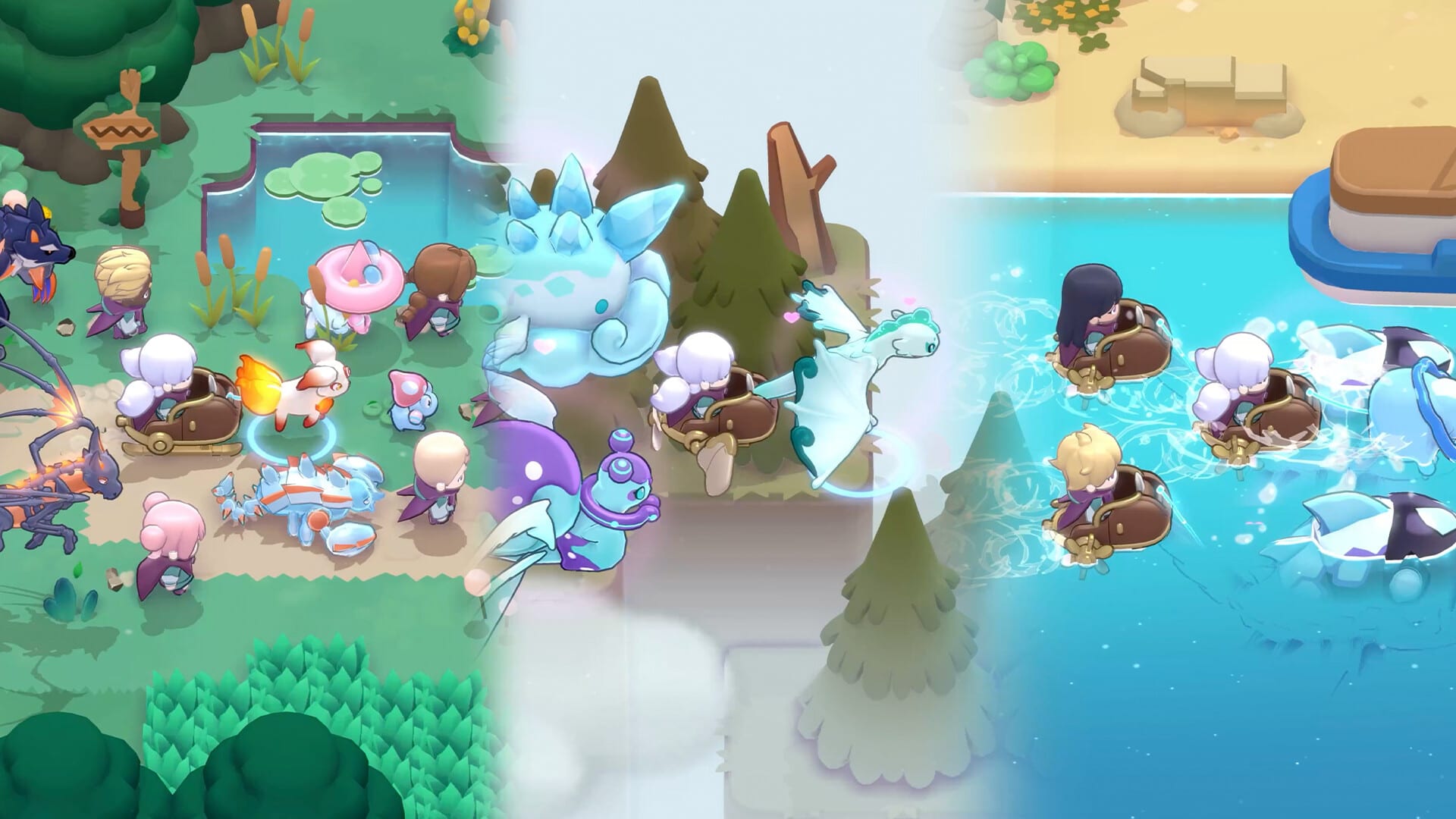
If you searched “World of Slime demo download” or “how to play World of Slime,” you want the Steam installer, not a rumour about phones. TEAM42 opened a free Windows PC preview on 26 August 2026. The demo is a separate app from the full game. This page is the install path. After the client launches, switch to the demo guide and getting started.
Two store pages, one studio
The full game is Steam app 4671450. The demo is app 4793900, listed as World of Slime Demo. Wishlist the full page if you want a ping when December 2026 arrives. Install the demo if you want to play this week. Mixing those two buttons is the most common new-player mistake. Korean press (Inven, GameChosun, Gamemeca) all describe this drop as PC-only. Mac and mobile wait for the December 2026 client. There is no iOS TestFlight and no Android APK from TEAM42 for this preview.
Open Steam while signed in, search World of Slime Demo, or open the demo store URL. Click the play/install control and let the download finish. World of Slime is an online MMORPG: you need a live connection. Steam’s own copy says there is no offline collector mode. If a friend only owns a phone, they cannot join this build. Point them at mobile pre-registration for November, not at this Windows installer.
What you actually get after install
Steam and the official site agree on the loop: field capture with Cubes, synthesis, fishing, a first village of NPCs, slime riding (water and sleds), and online play with friends. Official PvP in the design runs from 1v1 through 3v3. The first major area is the slice you walk. Treat “four continents,” a fixed extra-species count, ranked seasons, and raids as unofficial until TEAM42 posts patch notes. The studio said it will collect demo feedback before official service. That is the point of installing now: muscle memory, not a save file to hoard.
GameChosun also noted that after 26 August the title appeared in Steam’s MMORPG recommended row and the wishlist kept climbing. That does not change the install steps. It does explain why the demo page and the full-game page both matter.
Nickname while the preview crowd is small
GameChosun’s 26 August 2026 report is explicit: demo players can stake a nickname ahead of official service. That is not the Discord Explorer role and it is not a Steam wishlist. The nickname page is the dedicated walkthrough. Character progress, Slimepedia pages, Cubes, and synthesis recipes still do not carry into December. The name is the social reason to log in this week.
Controller flags are store categories
The demo store lists full controller support, DualSense support on PC, Camera Comfort, Custom Volume Controls, Save Anytime, Touch Only Option, playable at your own pace, and playable without timed input. Those are Steam accessibility categories, not a published keybind PDF. TEAM42 has not posted a public WASD chart. Learn the real layout in the running client. If you care about pads, camera motion, or touch-first play, read accessibility. DualSense on the PC store is a pad on a computer. It is not a PlayStation SKU. No console version is announced.
First hour after the title screen
Talk to every NPC in the starting village. Capture with a Cube after the stun window, not during the attack animation — the capture guide is the long version. Record the species, weather, and time in your Slimepedia. Ride a partner across water or let one pull a sled so you see why exploration exists. Fuse two slimes once so December is not your first synthesis. Invite a friend through Steam; play with friends covers sessions. Powerful slimes sit deeper in the field: hunt them or bring them home as allies — powerful slimes.
What this download does not do
It does not pre-register a phone. That window is November 2026, the same month as G-STAR in Busan. It does not redeem gift codes. TEAM42 has not published a working-codes list or a public redemption UI; the codes hub stays empty on purpose. It does not bind a Steam Cloud save to the December client. It does not replace wishlisting the full game. Do both if you can: play the demo, wishlist 4671450.
Languages versus this wiki
Steam lists eighteen interface languages for the demo, including English, French, German, Spanish (Spain and Latin America), Korean, Japanese, Portuguese-Brazil, and others. This wiki is English, French, German, and Spanish. The game’s language list is wider than the wiki’s. Pick the in-game language in Steam’s properties if you need Korean or Japanese; do not expect this site to host those locales.
If the demo will not start
Use Steam’s verify integrity of game files on app 4793900. Confirm you are on 64-bit Windows 10 or newer; the store minimum is Windows 10, Intel Core i5, 8 GB RAM, GeForce GTX 960, 20 GB free. Recommended specs are still blank on the store. Studio contacts on worldofsli.me and Steam include TEAM42 in Seoul and apply@team42.co.kr. This fan wiki cannot reset a Steam account or push a hotfix.
Install, claim the name you can live with, and treat the rest as practice. December 2026 is still the live service. This Windows demo is the handshake.
Frequently Asked Questions
Quick answers to the most common questions about the game.
Where do I download the World of Slime demo?
On Steam, as World of Slime Demo (app 4793900). It has been live for Windows PC since 26 August 2026. Wishlist the full game (app 4671450) separately for the December launch ping.
Can I install the demo on Mac or a phone?
No. TEAM42 limited this preview to Windows PC. Mac and mobile are part of the December 2026 plan, with mobile pre-registration in November.
Does installing the demo keep my save for launch?
No. Demo progress does not carry over. GameChosun reported you can still reserve a nickname ahead of official service.
Is the demo free?
Yes. The demo is a free Steam preview. The full game is also free-to-play with no gacha. Cubes, synthesis, and fishing remain the recruit paths.